

Mosconi Common Issues and Troubleshooting in La Verne California
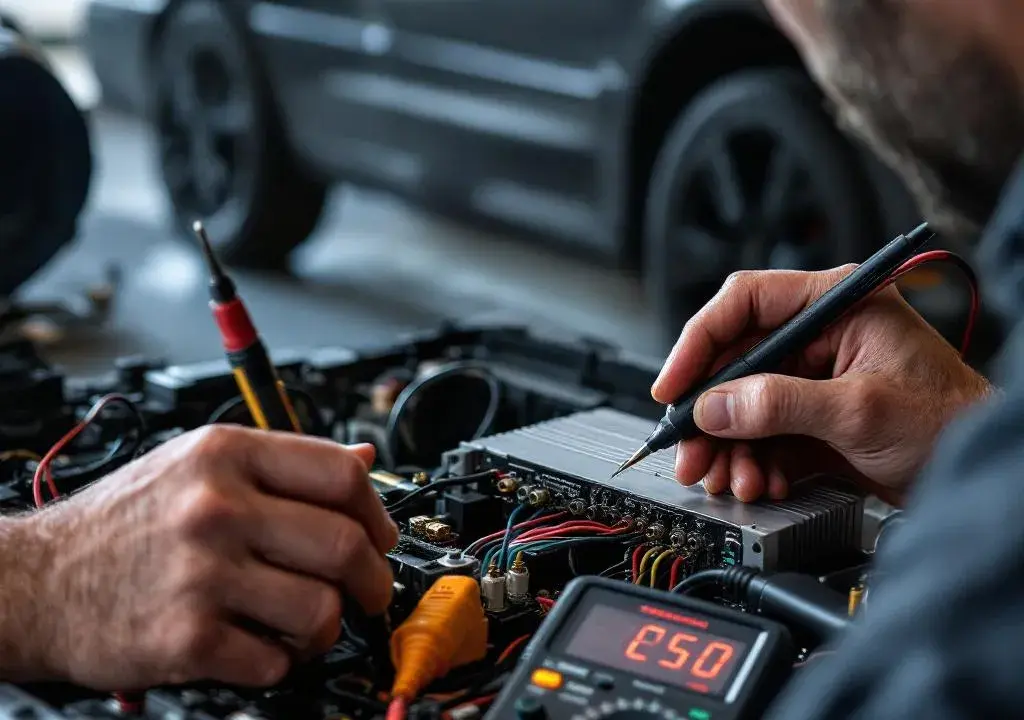
As a La Verne car audio and electronics installer who’s spent years working on amps and processors, I often get calls about Mosconi gear and how to sort quirks that come up after installation. Mosconi builds some of the cleanest-sounding processors and amplifiers on the market, but even the best components can show issues if something in the signal chain or the vehicle environment isn’t quite right. If your system is acting up, I’ll walk you through what I see most often around town and how we approach a reliable fix, including when it’s time to bring the car into a shop for professional diagnostics. Mosconi
Why Mosconi gear is common in La Verne installs
Locally, Mosconi is popular because it balances sonic transparency with compact, install-friendly designs. For enthusiasts who want clean staging and full-range clarity without bulky racks, these components are a great choice. That said, they operate with precise gain staging and require careful calibration. In many of the vehicles I service, problems aren’t the hardware failing but the interaction between the factory head unit, speaker wiring, and the Mosconi processor. Poor grounds, legacy speaker connectors, or incorrect input settings can all throw a system off and make an otherwise great amp sound harsh or lifeless.
Mosconi common issues and how we diagnose them
The first clue to most Mosconi-related troubles is intermittent behavior: dropout in one channel, unexpected clipping, or a shift in tonal balance after driving for a while. My diagnostic routine starts with a cold visual inspection of power and ground runs, then I move to signal tracing. I check the input sensitivity and filters inside the unit, confirm firmware is up to date, and use test tones to isolate whether the problem is pre- or post-processor. Sometimes a symptom points to thermal protection or a marginal power connection rather than the processor itself, and tightening a ground or replacing a crimp fixes the issue without replacing gear.
Installation tips to prevent trouble in the first place
Good installations in our climate start with planning the power path and making sure grounds are short and clean. For Mosconi products specifically, I recommend mounting the unit away from high heat and securing it so connectors aren’t stressed. Keep signal cables separated from power runs to avoid induced noise, and always use a stable source for the remote turn-on circuit. When tuning, resist the urge to crank gain as a fix for weak signals; instead, optimize input sensitivity and use the unit’s built-in equalization and time alignment tools. A well-built harness and a careful tune often prevent callbacks.
Real-world troubleshooting: examples from the shop
One memorable case involved a Subaru that came in with a Mosconi processor sounding thin and odd in the upper mids. After a careful check I found the owner had reused an adapter with corroded pins between the head unit and the processor. Cleaning the contacts and reseating the harness restored the expected warmth and imaging. In another car, the amp went into protection during highway runs; that turned out to be a loosely crimped ground at the chassis rail that would shift as the vehicle warmed. These are the kinds of practical problems we catch quickly at the bench before ever assuming a core Mosconi component is defective. If you want reference material or factory specs to cross-check a setup, our shop keeps current documentation and resources like Mosconi links handy for calibration notes.
Tuning and calibration best practices
Tuning a Mosconi processor benefits from measured correction and listening sessions in the vehicle. I start with a flat measurement, apply minimal corrective EQ to address room modes and speaker anomalies, and use time alignment to center imaging. Avoid aggressive boosts; it’s better to correct resonances with careful attenuation and slope selection. If you’re unfamiliar with measurement software, bringing the car in allows us to perform a full sweep, save profiles, and demonstrate the difference between factory presets and a properly tuned custom curve.
Frequently Asked Questions
Q: How do I know if my Mosconi unit is actually faulty? A: Start by checking power, ground, and connectors. If power and signal are stable and the unit still behaves inconsistently, a bench test at the shop can replicate conditions and reveal internal faults.
Q: Will a Mosconi processor work with my factory head unit? A: Yes, but expect to adapt signals carefully. Many integrations need level-matching adapters or line converters and correct input mode selection inside the Mosconi unit to avoid phase or level issues.
Q: My system hums when the car is running. Is that the Mosconi? A: Hum usually indicates a grounding or shielding issue. Inspect grounds, keep signal wires separate from power, and ensure the battery and alternator grounds are solid. We can trace whether the noise is induced before assuming the processor is the cause.
Q: How often should firmware be updated? A: Check for firmware when troubleshooting or before a major tune. Updates can fix bugs and add features, but perform them with a stable power source and back up your settings first.
Q: Can you tune my Mosconi system for better sound in La Verne? A: Absolutely. We perform on-road checks and use measurement tools to create a balanced, natural presentation tailored to your vehicle.
If you are experiencing any of the issues described or just want a professional calibration to get the most out of your system, bring your car to our local shop where we can run a complete diagnostic and tune. Our technicians are experienced with Mosconi gear and familiar with common integration challenges in Southern California vehicles, and we’re happy to demonstrate before-and-after measurements and provide clear recommendations. Mosconi systems reward careful installation and tuning, and we can help you get there — contact Audio Dreams today to schedule an appointment or drop by for a consultation.
Audio Dreams
1175 Foothill Blvd, La Verne, CA 91750, United States
Phone: +1 (909) 593-3335